Restaurant Menu Photos Without a Photographer: A Weekly Workflow That Ships
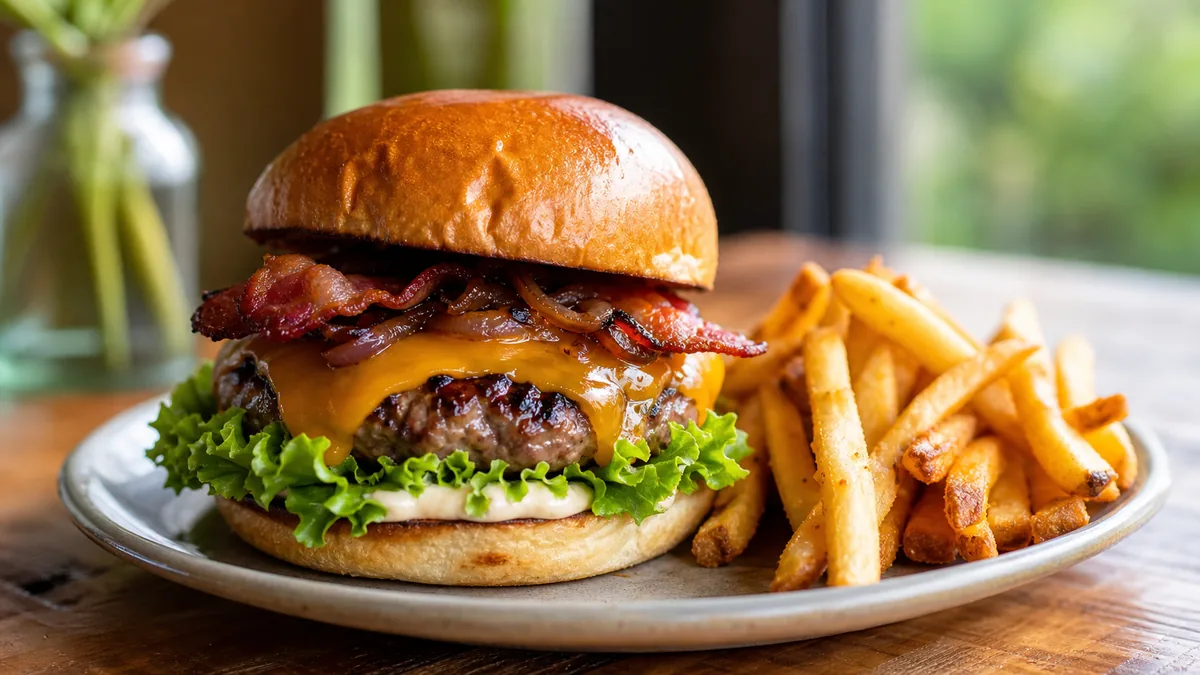
Hiring a food photographer for every menu update is expensive, slow, and almost impossible to keep current. The better move for most restaurants in 2026 is to take restaurant menu photos without a photographer — using a phone, your real plated food, and a repeatable weekly routine. The goal isn’t one perfect photo a year; it’s a system that ships fresh, consistent photos every week for your menu, your delivery apps, and your social feeds.
This guide gives you that system: the small kit that actually matters, the day-by-day rhythm that keeps it from falling apart, and where an AI enhancement step replaces the expensive parts of a studio without faking your food.
Why "do it yourself" beats hiring out
A professional shoot runs $20–$80 per finished image and takes days to schedule and turn around. By the time the gallery lands, your menu has already changed. Photographing your own dishes flips that:
- Speed: You shoot the special the day you launch it, not three weeks later.
- Cost: A finished, enhanced image lands around $0.14–$0.60 instead of $20–$80.
- Coverage: You can photograph every item, not just the five dishes that fit the shoot budget.
- Freshness: Delivery apps and Google reward recent, complete photo sets — and you control the calendar.
The trade-off used to be quality. That gap is now closed by enhancement, not by buying a better camera.
The minimal kit (and what to skip)
You need far less than gear lists suggest. Here’s the honest short list:
| Worth it | Skip it |
|---|---|
| Phone with a 12MP+ camera | A DSLR or mirrorless body |
| A window or one soft light | A full lighting kit |
| A clean, neutral surface (board, slate, paper) | An expensive backdrop collection |
| A phone clamp or small tripod | A studio styling kit |
| 60 minutes a week | A $500 shoot day |
The two things that matter most are soft light and a clean background. Everything else is convenience. For a deeper breakdown, see our guide on food photography equipment you don’t need.
The food photography basics that move the needle
You don’t need to master photography to take great menu photos without a photographer. Four habits cover most of it:
- Light it softly. Shoot near a window with indirect daylight, or use a single diffused light. Avoid hard overhead kitchen light — it creates ugly shadows and muddy color. Never use direct on-camera flash.
- Keep the background clean. A neutral surface and an uncluttered frame keep the eye on the food. One or two props (a fork, a napkin, a garnish) are plenty.
- Fill the frame. Get close. The dish should be the obvious subject, with a little breathing room so platforms can crop it for thumbnails.
- Shoot the dish honestly. Plate it the way a customer will receive it. Over-styled food that doesn’t match the real plate erodes trust and drives chargebacks.
The weekly workflow that actually ships
The reason most restaurants give up on their own photos isn’t skill — it’s the lack of a routine. Here’s a five-touch weekly rhythm that fits around service.
Monday — Plan
- Review the week’s menu and pick the dishes and specials to feature.
- Confirm you’ll have the ingredients on hand on shoot day.
- Note any plating or garnish you want to highlight.
Tuesday — Prep and stage your light
- Pick your spot near the best soft-light window during a slow window of the day.
- Set up your clamp or tripod and a clean surface so it’s ready to go.
Wednesday — Batch shoot
- Plate each dish as a customer would see it.
- Take 3–5 frames per dish: one straight-on, one at a 45° angle, one overhead for flat items like pizza or bowls.
- Shoot everything in one session near the same light. Batching is the single biggest time-saver — it’s the difference between a 45-minute shoot and a month of one-offs.
Thursday — Enhance and export
- Cull to the best frame per dish.
- Run each through an enhancement step to fix lighting, color, gloss, and crop. This is where the photos go from "phone snapshot" to "menu-ready" — without changing the food. You can try it on the Menu Test Pack for $10.
- Export the crops each channel needs (square for delivery tiles, wider for the website, vertical for social).
Friday — Publish
- Update your menu and website.
- Refresh delivery app listings (DoorDash, Uber Eats, Grubhub).
- Post to Instagram and Facebook with a caption and a couple of relevant tags.
Five short touchpoints, one batched shoot — that’s the entire system.
Where AI replaces the studio (without faking the food)
The expensive part of a studio shoot was never the shutter press — it was the lighting setup, the color grading, and the retouching. That’s exactly the part you can hand off.
FoodPhoto.ai takes a real phone photo of your real dish and fixes the lighting, background, color, gloss, and crop without changing the food itself. It’s honest enhancement, not text-to-image fabrication — so the burger in the photo is the burger that arrives at the table. That distinction matters for both customer trust and platform compliance.
This is what lets a 60-minute phone shoot compete with a studio gallery. You bring real food and decent light; the enhance step closes the rest of the gap. If you want a tighter, time-boxed version of this routine, our weekly restaurant photo sprint breaks it into a single focused hour.
Shoot once, publish everywhere
Each channel crops differently, so plan your frame to survive cropping:
- Delivery apps crop to a square or near-square tile — keep the dish centered with margin.
- Google Business Profile favors landscape; see our Google Business Profile photo playbook for what to upload and how often.
- Social rewards vertical and bold, close-up framing.
- Your website menu usually wants a clean wide or square crop.
Shoot a little wider than you think you need, then export the crops per channel. One good frame becomes four placements.
Common mistakes that make DIY photos look cheap
- Hard overhead or flash light that flattens texture and shifts color.
- Cluttered backgrounds that fight the food for attention.
- Inconsistent looks across dishes, so the menu feels stitched together — a restaurant photo style guide habit of matching angle and light fixes this.
- Over-styling that doesn’t match what gets served.
- Shooting one-offs mid-service instead of batching during a slow window.
Avoiding these five gets you most of the way to "looks professional" before you enhance anything.
Make it stick
Taking restaurant menu photos without a photographer isn’t about talent or gear — it’s about a routine you can repeat every week. Plan on Monday, batch-shoot on Wednesday, enhance on Thursday, publish on Friday. Keep the kit minimal, keep the light soft, and let an enhancement step handle the studio polish.
Ready to see the difference on one of your own dishes? Try it on the Menu Test Pack, and when you’re set up to run the weekly routine, pricing starts at $10 for a 5-photo Menu Test Pack with plans from $15/month.
Frequently asked questions
Can you take good restaurant menu photos without a photographer?
Yes. A modern phone, a window for light, a clean surface, and a quick enhance step are enough to produce menu-ready photos. The hard part isn't the camera — it's a repeatable workflow so you actually ship new photos every week instead of shooting once a year.
What equipment do I need to shoot my own menu photos?
A phone with a 12MP-or-better camera, a window or a single soft light, a neutral surface, and a phone clamp or small tripod. That covers 90% of menu work. You do not need a DSLR, a lightbox, or a styling kit to get usable shots.
How long does a weekly menu photo shoot take?
Once you batch it, 30 to 60 minutes covers a week of specials and a few menu items. Shooting several dishes back-to-back near the same window, then enhancing them together, is far faster than one-off photos taken mid-service.
How do I make phone photos look professional for a menu?
Shoot near soft, indirect light, keep the background clean, fill the frame, and then run each photo through an honest enhancement step that fixes lighting, color, and crop without changing the food. That last step is what closes the gap with a studio shot.