Google Business Profile Photos for Restaurants: The Local SEO Playbook
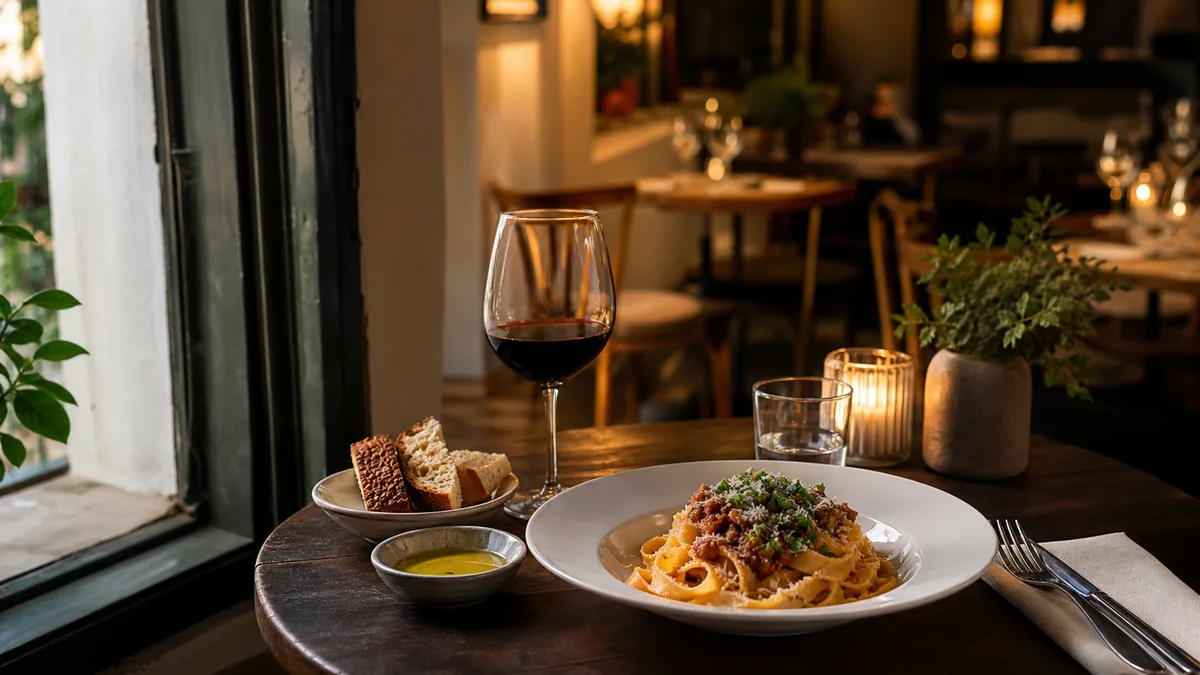
Google Maps is no longer just directions — it’s where customers decide whether your place is real, whether the food looks good, and whether they trust what they’re ordering. They answer those questions with photos. This playbook gives restaurant owners a repeatable system for Google Business Profile photos that rank and convert, without hiring a photographer every time the menu changes.
Why Google Business Profile photos matter
Two things happen at once when someone lands on your profile:
- Conversion. Photos drive website clicks, phone calls, and direction requests. A strong gallery is often the deciding factor between you and the restaurant next door.
- Trust. Outdated or inconsistent photos make customers hesitate, even when you rank well. A profile that looks current and on-brand reassures first-time visitors.
You don’t need museum-quality photography. You need photos that are clear at thumbnail size, accurate to the dish customers receive, consistent with your brand, and updated often enough to reflect reality.
What to upload: the restaurant photo set that works
A balanced mix beats a pile of food shots. Upload only food and your listing reads like a ghost kitchen; upload only interiors and customers can’t "taste" it. Use this as your baseline.
Cover and logo
- Logo: clean, high-res, readable on a small screen.
- Cover: one strong brand image — usually a hero dish or a signature vibe shot.
Exterior (wayfinding + trust)
- Storefront in daylight.
- Storefront at night, if you’re open then.
- Entrance and signage so customers know they’ll find you fast.
Interior (vibe + price anchoring)
- One wide dining-room shot.
- The bar, if you have one.
- One close "vibe" shot — a set table, lighting, texture.
Premium-looking interiors support premium pricing. These images set expectations before the food arrives.
Food (the conversion engine)
Start with:
- Your top 10 sellers.
- 5 high-margin items you want to push.
- Seasonal and limited-time items.
Then expand until the whole menu looks consistent. The rule: if you can’t tell what it is at thumbnail size, it isn’t helping you.
Drinks and desserts
Cocktails, coffee, boba, and desserts are impulse-friendly and often outperform mains on a profile. Don’t skip them.
People (optional, high trust)
If you’re comfortable, a few honest shots — team behind the counter, a chef plating, staff pouring coffee — add strong "real place" signals for first-time customers.
The upload cadence that keeps you fresh
A profile that never changes slowly loses to one that looks alive. Keep it simple:
- Monthly refresh: add a handful of new food or vibe photos.
- Seasonal pushes: a bigger batch for holidays, seasonal ingredients, and LTOs.
- Event-driven adds: new menu items, a remodel, a new patio.
A steady monthly cadence beats one giant annual upload that goes stale. For a tighter routine that feeds Google plus your other channels in one session, see our weekly restaurant photo sprint.
The most common GBP photo mistakes (and fixes)
Yellow or green lighting
Kitchen overhead light makes food look tired and off-color. Shoot near a window, kill mixed overhead lights that cause color casts, and use a white foam board to bounce light into shadows. Then correct any remaining color shift in an enhancement step.
Inconsistent style
If your photos look like five different restaurants, customers subconsciously assume the food quality is inconsistent too. Match your angle, light, and crop across uploads. A restaurant photo style guide habit fixes this fast.
Dark, blurry, or cluttered shots
Thumbnails are unforgiving. Keep frames sharp, well-lit, and clean. If you can’t read the dish small, it won’t earn a click.
Heavy overlays and gimmicks
Skip price stamps, watermarks, and busy text overlays. Google favors clean, authentic photos, and customers trust them more.
What Google rejects (and how to avoid it)
Photos can disappear from your profile without warning, and the reasons are almost always avoidable. Google removes images that look promotional or low-quality, so keep uploads clean:
- Text, logos, and price stamps baked into a food photo. Google treats overlaid promotional text as a violation. Keep your food shots clean; put offers in Posts, not on the image.
- Watermarks and borders. These read as stock or third-party content and get filtered.
- Heavily filtered or distorted images. A neon Instagram filter or an aggressive HDR look can trip quality checks. Honest color correction does not.
- Irrelevant or off-topic photos. A meme or an unrelated graphic on a restaurant profile is a fast way to lose trust and visibility.
If a photo vanishes after upload, it almost always failed one of these. Re-shoot or re-export a clean version rather than re-uploading the same file.
Photo specs that actually matter
You do not need to memorize a spec sheet, but a few numbers keep your gallery sharp:
| Use | Recommended | Why |
|---|---|---|
| Food / general photos | At least 720 x 720 px | Below this, thumbnails go soft |
| Cover image | Landscape, ~1080 px wide | Crops cleanly across devices |
| Logo | Square, high-res | Stays readable at small sizes |
| Format | JPG or PNG | Standard, broadly accepted |
The bigger lever is not resolution — it is lighting and color. A 4000-pixel photo shot under yellow kitchen light still looks worse than a clean 1000-pixel one. Fix the light first, then worry about size.
Where enhancement fits (and stays honest)
The gap between a phone snapshot and a polished GBP photo is mostly lighting, color, and crop — not the camera. FoodPhoto.ai takes a real phone photo of your real dish and fixes exactly those things without changing the food. It’s honest enhancement, not AI fabrication, so the plate in your gallery is the plate customers receive. That keeps you compliant and keeps the trust signal intact.
You can run one of your current GBP photos through the paid Menu Test Pack and compare it side by side before you commit.
A simple GBP photo workflow
- Batch shoot your priority items near soft light during a slow window.
- Enhance each photo together so the gallery looks like one brand.
- Crop to landscape for the cover and a clean square or landscape for food.
- Upload in your monthly batch, leading with your strongest hero.
- Track which images get the most views in your profile insights and double down on that style.
This is the same enhancement engine that powers your menu and delivery photos, so one shoot feeds everything. For the delivery side specifically, pair this with our Uber Eats photo requirements and delivery app photo guidelines guides.
How customer-uploaded photos fit in
You don’t fully control your gallery — customers upload photos too, and those often appear prominently. You can’t delete most of them, but you can dilute weak ones by keeping your own gallery strong and current:
- Upload regularly so your high-quality photos outnumber and outrank random customer snapshots.
- Lead with your best hero so the first impression is on-brand.
- Cover the gaps customers won’t — clean exteriors, interiors, and accurate menu items.
The more consistently you upload, the more your profile reflects the experience you actually deliver instead of a stranger’s blurry phone shot.
Measure what’s working
Your Google Business Profile shows photo insights — views and engagement per image. Use them:
- Find your top-performing photos and note the style: angle, lighting, dish type.
- Shoot more in that style instead of guessing.
- Retire or replace underperformers that are dark, off-color, or off-brand.
- Track direction requests and calls over time as you keep the gallery fresh.
Treat your profile like a living storefront window, not a one-time setup — small, regular improvements compound into more clicks and visits.
Make your profile do the selling
Your Google Business Profile is a storefront that’s open 24/7 and seen by people deciding right now where to eat. Give it a balanced photo set, keep it fresh on a monthly cadence, fix the lighting and color honestly, and keep the look consistent. That’s the whole playbook.
Try it on one of your own dishes with the Menu Test Pack, and when you’re ready to keep the gallery current without a photographer, pricing starts at $10 for a 5-photo Menu Test Pack with plans from $15/month.
Turn this strategy into menu-ready photos
FoodPhoto.ai helps restaurants enhance real dish photos for delivery apps, websites, ads, and local search while keeping the food accurate to what guests receive.
See pricing or open the FoodPhoto.ai Studio.
Frequently asked questions
What photos should a restaurant upload to its Google Business Profile?
Upload a balanced set: a clean logo and cover, exterior shots for wayfinding, one or two interior shots for vibe, your top 10 sellers and high-margin items for food, plus drinks and desserts. Add a few honest ‘people’ shots if you’re comfortable. Avoid uploading only food — it can make your listing look like a ghost kitchen.
How often should I update my Google Business Profile photos?
Refresh monthly with a few new images, and run bigger pushes for seasonal items and limited-time offers. Google and customers both favor profiles that look current, so a steady cadence beats one big upload a year that slowly goes stale.
Why do my restaurant photos look bad on Google Maps?
Usually it’s lighting and consistency. Kitchen overhead light makes food look yellow or green, and a mix of styles makes the listing feel unreliable. Shoot near soft light, keep a consistent look, and fix color and crop in an enhancement step before uploading.
Do Google Business Profile photos affect local ranking?
Photos primarily drive conversion — clicks, calls, and direction requests — and they reinforce trust signals that support your overall local presence. Fresh, accurate, consistent images make customers choose you over a competitor with a sparse or outdated gallery.