Ghost Kitchen Photos: A Weekly System (Not a One-Off Shoot)
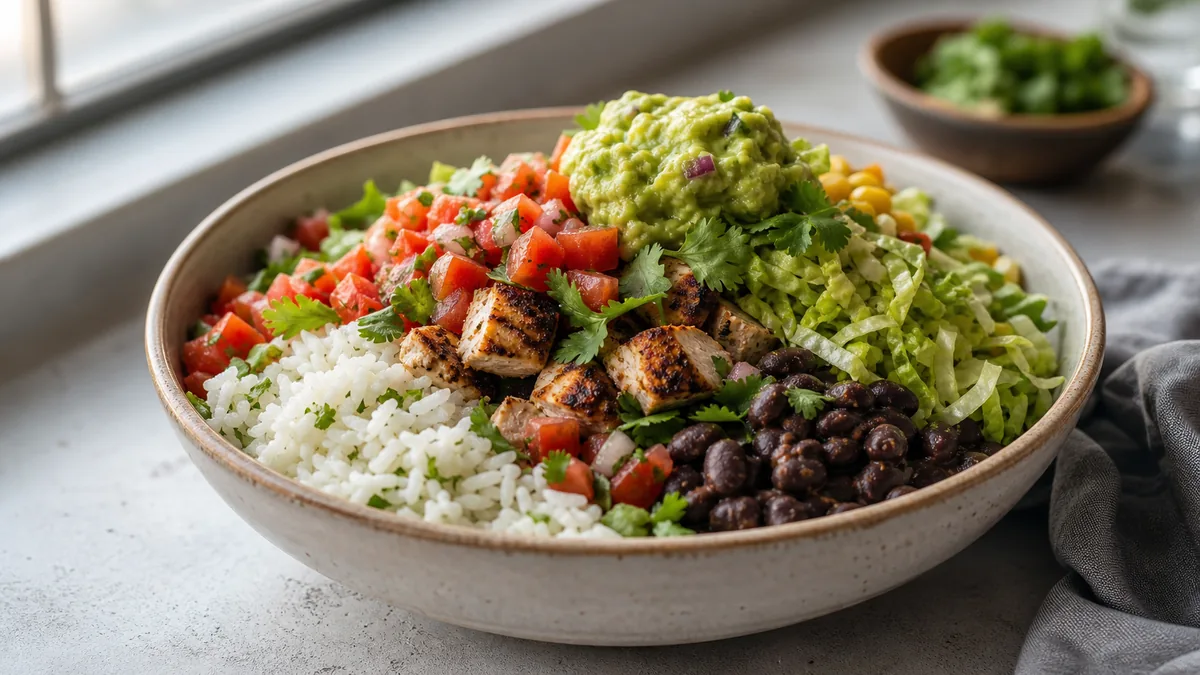
A ghost kitchen menu is never finished. New items launch, limited-time offers come and go, and bestsellers get reworked — all faster than any single photoshoot can keep up with. That’s why the right answer for virtual brands is a weekly ghost kitchen photo system, not a one-off shoot. A lightweight loop that captures dishes the week they exist keeps every delivery listing current and on-brand without the cost or scheduling of repeated studio sessions.
This guide gives you the system: a repeatable shot list, a 10-minute setup, and the discipline that keeps multiple brands on-style.
Why one-off shoots fail virtual brands
A traditional shoot freezes your menu in time. For a sit-down restaurant that’s tolerable. For a ghost kitchen running LTOs and testing new concepts monthly, it’s a guarantee that your photos and your actual menu will drift apart. The cost of stale photos isn’t just looking dated — it’s listings that don’t match what you sell, which erodes trust and conversions. A weekly cadence keeps them in sync.
The weekly loop at a glance
| Day | Task | Time |
|---|---|---|
| Monday | Plan the shot list | 10-15 min |
| Tue/Wed | Shoot at the fixed station | 45-60 min |
| Wed/Thu | Enhance with consistent settings | 20-30 min |
| Fri | Export crops and publish all channels | 15 min |
Total: about 90 minutes a week, one person.
Step 1: Build the shot list (Monday)
Don’t shoot on instinct. Each week, list:
- New items and LTOs going live.
- Bestsellers with weak or outdated photos.
- Any dish whose recipe or plating changed.
Cap it at three to five dishes per brand. A short, specific list is what keeps the session fast and prevents the "we’ll do it someday" backlog.
Step 2: The 10-minute station setup
Consistency comes from never moving the variables:
- A clean table by a window with indirect light, or a single daylight LED panel.
- Your brand’s background surface.
- A white foam board opposite the light for fill.
- A phone on a small tripod at your default angle.
Mark the positions so it’s identical every week. Our phone food photography guide walks through the capture settings.
Step 3: Batch the shoot (Tue/Wed)
- Plate dishes in build order so you move quickly.
- Garnish each one last, right before the frame.
- Take 10-15 shots per dish, angle locked.
- Wipe every rim — delivery food is saucy and shows it.
Batching turns a "photoshoot" into a 45-minute kitchen task.
Step 4: Enhance for a uniform look (Wed/Thu)
Run every shot through FoodPhoto.ai with the same settings. It fixes lighting, cleans the background to your brand surface, restores gloss, and crops to spec — without changing the food. Because it enhances the real photo of the real dish, the listing matches the order, and applying identical settings keeps every dish and every week consistent. Try it on one dish in the Menu Test Pack to set your baseline look.
Step 5: Publish to every channel (Friday)
Export the crops each platform needs and push them out the same day. For platform sizes and a no-rework export flow, use the cross-platform delivery photo checklist. Keeping publish on a fixed day means nothing sits half-finished.
Keeping multiple brands on-style
Most ghost kitchens run several concepts from one kitchen. The system scales if you separate identity from process:
- Per-brand style sheet: distinct background, mood, and crop so brands don’t blur.
- Shared station and discipline: same setup, same enhancement habit, swap only the surface.
- Clear file naming: brand prefix on every file so nothing gets crossed.
When a new brand launches, you’re not inventing a workflow — you’re adding one style sheet to a system that already runs. For the full branding-first version of this, see our ghost kitchen branding playbook.
The economics that make weekly possible
A studio shoot at $20-$80 per finished image makes weekly cadence impossible across multiple brands. AI enhancement at roughly $0.14-$0.60 per image makes it routine. The weekly system only works because the per-photo cost is low enough to never ration images. FoodPhoto.ai pricing starts at ten photos for $10 with plans from $15/month; credits roll over and you can cancel anytime.
The weekly shot list template
The fastest way to keep the loop running is to never start from a blank page on Monday. Keep a standing template and fill in three buckets each week:
- New & changed (must shoot): every LTO going live, every new menu item, every dish whose plating or recipe changed. These are non-negotiable — a listing that doesn’t match the order generates refunds.
- Weak performers (should shoot): bestsellers with dim, yellow, or outdated photos. One refresh of a high-volume item usually pays for the whole session.
- Aspirational (only if time): dishes you’d like to improve but that aren’t hurting you yet. These slot in only when the must- and should-shoot lists are short.
Cap the combined list at three to five dishes per brand. The discipline isn’t shooting more — it’s shooting the right few, every week, forever.
Common ghost kitchen photo mistakes
Virtual brands fail at photos in predictable ways. Watch for these:
- Treating photos as a launch task, not a recurring one. The day-one shoot looks great; eight weeks later half the menu has changed and nobody re-shot. The weekly loop exists precisely to prevent this.
- Letting brands blur together. When one kitchen runs four concepts on the same surface with the same garnish, the listings stop feeling like distinct brands. Per-brand style sheets fix this.
- Shooting in the same overhead kitchen light that makes food look grey. One window or one daylight LED beats the ceiling fluorescents every time.
- Skipping the rim wipe. Delivery food is saucy by nature, and a smeared container rim is the single most common reason a ghost kitchen photo looks cheap.
- Forgetting the thumbnail test. A platform tile is tiny. If the dish isn’t recognizable at thumbnail size, the photo isn’t doing its job no matter how good it looks full-screen.
How AI enhancement changes the math for virtual brands
The reason ghost kitchens historically had bad photos is structural: a virtual brand can’t justify a studio shoot for a concept it might retire in a month. When each finished image costs $20-$80, you ration photos, and rationing means stale listings.
Enhancement flips that. Because you’re starting from a real phone photo of a real dish and only fixing light, color, gloss, background, and crop, the per-image cost drops to cents. That changes behavior: you stop asking "is this dish worth a photo?" and start photographing everything, because there’s no reason not to. For a multi-brand operator, this is the difference between four concepts that look professional and four that look like a spreadsheet experiment. For the operator-level view of winning placement once the photos are clean, see how ghost kitchens win delivery apps and the broader delivery app photo optimization playbook.
A practical guardrail: enhance, never invent. Restore the gloss on a real burger; don’t add a patty that isn’t there. Honest enhancement keeps your listings matching the order, which is what protects your ratings and keeps refunds down.
The bottom line
Stop thinking in shoots and start thinking in weeks. A short shot list, a fixed station, consistent enhancement, and a fixed publish day keep every virtual brand’s listings current and on-style. Run one dish through the FoodPhoto.ai this week and build the loop around it — and when you’re ready to scale it across brands, pricing starts at a $10 Menu Test Pack (10 credits) with plans from $15/month and credits that roll over.
FAQ
Why should ghost kitchens use a weekly photo system instead of one shoot?
Virtual brands change menus, run LTOs, and launch new items constantly. A single shoot goes stale within weeks. A lightweight weekly system captures new and updated dishes as they happen, so listings never fall behind the menu.
How long does a weekly ghost kitchen photo session take?
About 60-90 minutes once your setup and style are locked. Plan a short shot list, batch the shoot at a fixed station, enhance with consistent settings, and publish — one person can run it.
How do I keep multiple ghost kitchen brands looking different but consistent?
Give each brand its own style sheet (background, mood, crop) but use the same capture station and the same enhancement discipline. Each brand stays internally consistent while staying visually distinct from the others.
Can AI keep ghost kitchen photos consistent week to week?
Yes. Applying the same FoodPhoto.ai enhancement to every shot gives a uniform look across sessions and across dishes, turning quick phone photos of real dishes into on-brand listing images without changing the food.