Delivery App Photo QA Checklist (2026): Avoid Blurry Uploads and Bad Crops
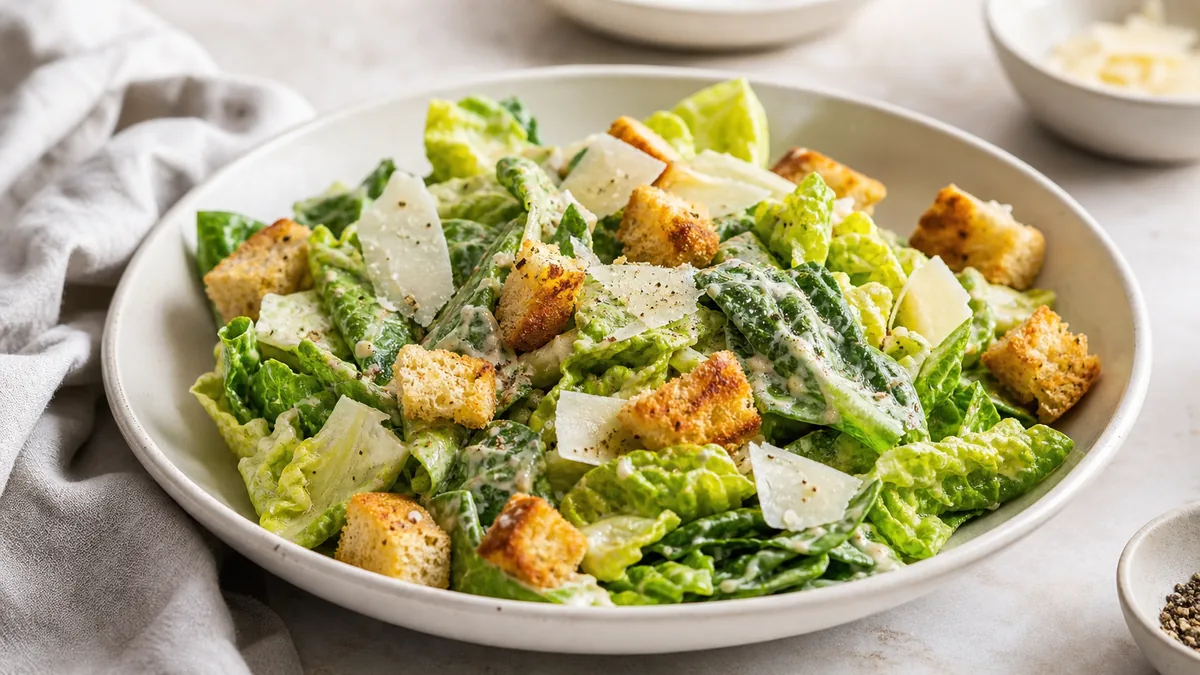
A great menu photo still fails if it uploads blurry, gets cropped badly, or looks nothing like the food on arrival. A delivery app photo QA checklist is the cheap insurance that catches those problems before they cost you orders. This is the 2026 version for DoorDash, Uber Eats, Grubhub, and any platform where customers decide from a thumbnail.
The short version: QA your photos as thumbnails first, not as full-screen art; make sure the crop is safe because the edges of the frame are disposable; and keep color accurate, because over-edited photos create distrust that shows up as refunds and bad reviews.
Why delivery photos need their own QA
On a delivery app, your photo is shown as a small tile in a crowded list, next to competitors, and the platform decides the crop, not you. A photo that looks stunning full-screen can be unreadable at tile size or get its hero ingredient sliced off by an automatic crop. The customer judges in roughly one second, at thumbnail size. QA exists to make sure the photo wins in that exact context — not on your laptop. This pairs naturally with a broader menu photo audit; QA is the per-upload gate that keeps a clean menu clean.
The 60-second thumbnail test
Before anything else, run this fast check on every photo:
- Open the photo on your phone.
- Zoom out until it is roughly tile size — about the size it appears on the app.
- Ask: "Can I identify the dish in one second?"
If the answer is no, pick a different frame or re-enhance the image. This single test catches most failures before they reach a customer. Legibility at small size beats beauty at full size every time.
The upload QA checklist
Run each photo through these four groups. If any item fails, fix it before upload.
Clarity
- Is the hero ingredient obvious — the protein or main item front and center?
- Are there distracting elements — props, hands, tickets, towels, messy counters — that should be removed?
- Does the dish fill the frame with a little breathing room, not float tiny in a big background?
Crop safety
- Is the plate fully inside the frame?
- Is there breathing room around the food so a platform crop has margin to work with?
- Are key toppings and garnishes away from the edges, where crops are most likely to cut them?
Treat the outer edges of every photo as disposable. If something important lives near the edge, it will eventually get cropped off on some device.
Color and trust
- Does the color match what guests actually receive? Whites neutral, greens fresh, reds edible.
- Is the photo free of heavy filters that change ingredient color or portion cues?
Accuracy is not just ethics — it directly affects repeat orders. A dish that arrives looking different from the photo erodes trust fast.
Consistency
- Does this image match the rest of your menu in lighting, background, and angle?
- If it does not, it makes the whole menu feel random and less premium.
A consistent menu reads as one professional brand. One mismatched photo in a row of nine drags the perception of all of them down.
A quick reference table
| Check | Pass condition |
|---|---|
| Thumbnail clarity | Dish identifiable in ~1 second at tile size |
| Hero | Main ingredient centered and obvious |
| Crop safety | Plate fully in frame, toppings away from edges |
| Resolution | Sharp at the platform’s required export size |
| Color | Matches what the customer receives |
| Consistency | Lighting, background, and angle match the menu |
The workflow that prevents repeated rework
Most blurry uploads and bad crops come from a missing process, not bad photography. Fix it with three habits:
- Keep a high-resolution master photo of every dish.
- Export platform crops from that master rather than re-saving and re-compressing the same file repeatedly.
- Preview as thumbnails before the final upload, using the 60-second test above.
This keeps every platform getting a clean, correctly sized image without you reshooting anything. For the exact sizes and crop logic per platform, our delivery app image size guide and your platform’s current spec page are the references to check before a bulk upload.
The most common delivery photo failures
Across delivery menus, the same problems show up again and again. Knowing them makes your QA pass faster:
- The dish is too small in the frame. Shot from too far away, the food becomes an unrecognizable speck at tile size. Fix: crop in so the dish fills the frame.
- The hero is hidden. Toppings, sauce, or a second item bury the main attraction. Fix: re-stage or pick a frame where the headline ingredient is obvious.
- A messy background. A cluttered pass, a hand, or a ticket pulls the eye off the food. Fix: clean the scene or enhance the background out.
- Wrong color. Heavy filters or mixed lighting make the food look unnatural and untrustworthy. Fix: correct white balance to match what guests receive.
- Cropped garnish. Key toppings sit at the edge and get sliced by the platform crop. Fix: re-frame with margin so nothing important is near the edge.
- Soft or low-resolution upload. A compressed or upscaled file looks blurry on a sharp phone screen. Fix: export from a high-resolution master at the platform’s size.
If a photo trips any of these, it is failing customers before they ever taste the food.
Why thumbnail-first QA wins more orders
It is tempting to judge a photo on your laptop, where it looks large and impressive. But almost no customer sees it that way. On a delivery app, the photo competes as a small tile, surrounded by rivals, scrolled past in a second. A photo optimized for the thumbnail almost always beats a photo optimized for full-screen, because the thumbnail is where the decision happens.
That is why every QA habit in this guide — the 60-second test, the centered hero, the safe crop, the accurate color — points at the same target: winning the one-second glance. Get that right and the full-screen view takes care of itself. Get it wrong and a beautiful full-screen image still loses on the rail. This thumbnail-first instinct is the same one that drives a strong restaurant visual content funnel at the conversion stage.
Where enhancement helps QA pass
A lot of QA failures — uneven lighting, a slightly off color cast, a cluttered edge, a dim shadow — are fixable without a reshoot. Honest AI enhancement corrects lighting and color and cleans the background while preserving the real dish, which is exactly what passes the clarity, color, and consistency checks above. Capture a clean phone photo, enhance it, then export the crop and run the thumbnail test before upload.
That turns QA from a step that rejects photos into a step that quickly fixes them. The result is a menu where every tile is sharp, accurate, and consistent.
Ship cleaner delivery photos
A quick QA pass plus an enhancement step keeps blurry uploads and bad crops off your listings. You can test enhancement on your own delivery photos with a one-time $10 Menu Test Pack (10 credits), with plans from $15/month (50 credits) and credits that roll over — see the pricing page. Or drop a current listing photo into the Menu Test Pack and run it through the thumbnail test yourself.
Frequently asked questions
What should I check before uploading a photo to a delivery app?
Run a quick QA pass: confirm the dish is identifiable in one second at thumbnail size, the hero ingredient is obvious, the plate is fully inside the frame with breathing room, key toppings are away from the edges, the color matches what guests receive, and the photo matches the rest of your menu’s style. If any check fails, pick another frame or re-enhance before uploading.
How do I make sure my delivery app photo crops look right?
Treat the edges of the frame as disposable, because platforms crop differently. Keep the dish centered with margin on all sides and key toppings well inside the frame. Then preview the photo at small tile size before you upload — what reads at thumbnail is what matters, not how it looks full-screen.
Why do my delivery photos look blurry after uploading?
Usually because the original was slightly soft, heavily compressed, or uploaded at a low resolution that the platform scaled up. Always keep a high-resolution master photo, export a clean copy at the platform’s required size, and avoid re-saving a JPEG multiple times. Sharp input plus correct export resolution prevents most blur.
Should delivery app photos be edited or filtered?
Light, honest enhancement is fine and helps — fixing lighting, balancing color, and cleaning the background. Heavy filters that change ingredient color or portion cues are not, because they create distrust when the food arrives looking different. Aim for an accurate, well-lit version of the real dish, not a stylized one.