Image SEO for Restaurants (2026): How to Rank and Convert With Menu Photos
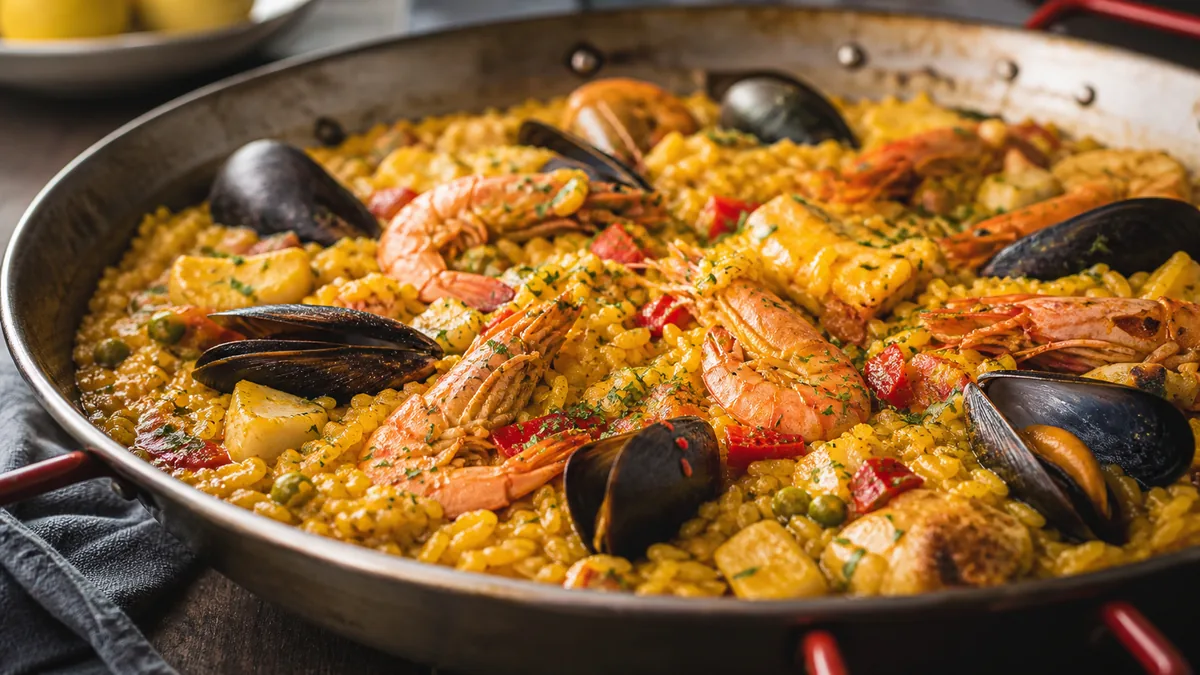
Most restaurant SEO advice still obsesses over text — keywords, blog posts, meta tags. But in 2026, restaurant image SEO is where the real competition happens. Diners compare your photos against three other options before they ever read a word, and that comparison happens across Google results, Maps, Google Business Profile, delivery apps, and your own menu page. Get your menu photos clear, fast, and consistent and you win clicks, trust, and orders. Get them wrong and you lose them silently.
This guide is a practical system for restaurant owners and marketers — not image-search theory. The goal is photos that are easy to understand, fast to load, correctly described, and consistent enough to feel trustworthy.
What changed in 2026 (and why image SEO matters more now)
Two shifts collided. Search got more visual — people judge options on photos before text — and trust got stricter, with over-edited or inconsistent photos creating hesitation. So restaurant image SEO in 2026 sits at the intersection of performance (does it load fast and look clean?) and credibility (does it match what you actually serve?).
The restaurants winning the scroll aren’t the ones with the fanciest props. They’re the ones whose photos are clear, fast, accurate, and consistent across every surface a customer might see.
The restaurant image stack: where your photos actually appear
Think of your images as a stack of layers, each with a job:
- Google Business Profile — your local trust layer. GBP photos answer "is this place real and current?" and feed both ranking and conversion.
- Website menu and item pages — your conversion layer. This should be the most consistent version of your menu.
- Delivery apps — your thumbnail-competition layer. Clarity at small sizes is the lever here.
- Social — your distribution layer, which also reinforces search trust.
The smart move is to produce one clean photo set per dish that can be exported and reused across all four layers. One shoot, many destinations.
File naming: descriptive, scalable, honest
Google doesn’t rank an image because you stuffed keywords into the filename. But descriptive names keep your assets organized, prevent wrong-version uploads, and give your team a system. Use a pattern that includes the dish, a destination, and optionally the location:
spicy-chicken-sandwich-website.webpmargherita-pizza-delivery.webpmango-margarita-social.webp
Avoid IMG_4939.jpg, final_final_2.jpg, and screenshot.png. The point isn’t gaming search — it’s operational clarity that prevents the inconsistent menus that quietly erode trust. If file naming is a recurring mess for your team, lock it down with a real file naming convention.
Alt text: describe the dish, don’t spam keywords
Alt text exists for accessibility first, and doing it well also helps search understand the page. Great restaurant alt text simply describes what a person would see — the dish, a key ingredient, and sometimes the restaurant name.
Good:
- "Margherita pizza with basil and mozzarella"
- "Spicy chicken sandwich with pickles and slaw"
- "Iced latte in a glass cup"
Bad (keyword stuffing that hurts trust and clarity):
- "best restaurant pizza near me"
- "order now best price cheap food"
The rule: if you can say it naturally to a person, it’s usually good alt text. Never repeat the same alt text on every image.
Context beats keywords
Images help SEO most when they have surrounding context. A photo with a dish name, a short description, a price, and a clear category section near it gives search far more to work with than a floating image. A simple per-dish structure — name, short description, price, photo with alt text — improves clarity for customers and search engines at once.
Performance: the hidden image SEO killer
The biggest restaurant image SEO mistake is slow images. If your menu page crawls on mobile, people bounce, engagement drops, and conversions fall. A quick 2026 performance checklist:
| Fix | Why it matters |
|---|---|
| Serve WebP, not giant JPEGs | Smaller files, same quality |
| Don’t serve a 4000px image where 1200px works | Wasted bytes slow the page |
| Keep the hero image light | It’s usually your Largest Contentful Paint |
| Lazy-load below-the-fold images | Avoids loading 50 photos at once |
If you only do one thing, make sure your top menu pages feel instant on mobile. Open your menu on cellular data and watch for loading gaps — those gaps are usually one oversized image away from a fix.
Cropping: one image must survive every surface
In 2026, one photo needs multiple crops. Upload a single crop everywhere and delivery apps chop the hero ingredient, social cuts off the plate, and headers look awkward. Your workflow should export a delivery crop (thumbnail-safe, hero centered), a website crop, and a social crop. This is exactly the kind of repeatable, no-rework export step that pairs well with a weekly restaurant photo sprint so you’re never re-cropping under pressure.
Structured data: mark up what’s true
Structured data helps search understand your site — but only mark up what’s actually visible and accurate. Never add fake ratings or invented reviews. For restaurant sites, reasonable options include LocalBusiness schema, Menu schema if your site is structured that way, and BreadcrumbList. Skip anything you can’t honestly back up; misleading markup creates more problems than it solves.
Consistency and freshness as ranking-adjacent trust signals
You don’t need to guess Google’s algorithm to know this: when customers trust what they see, they engage and convert more, and that behavior is something search systems can observe. Inconsistent photos increase hesitation — customers compare longer, bounce more, and lose confidence. Consistent photos reduce doubt because people know what they’re buying.
Freshness compounds it. A simple cadence keeps you "current" without a constant reshoot:
- Weekly — add one new photo (a special, a refreshed top seller, a proof frame).
- Monthly — replace five to ten weak photos and do a cleanup pass.
- Quarterly — audit brightness, backgrounds, and framing for consistency.
If your photos are all over the place today, start with a structured menu photo audit of your worst offenders before you reshoot everything.
Quick wins you can ship today
Without rebuilding anything:
- Rename your top 20 menu images so your team stays organized.
- Rewrite alt text for your top 20 dish photos to describe the dish.
- Replace your darkest, blurriest photos — they hurt trust most.
- Export thumbnail-safe crops for delivery apps first; that’s usually the fastest revenue impact.
The win condition
If your restaurant can ship fast-loading menu pages, clear and accurate dish photos, consistent crops across platforms, and a weekly GBP photo cadence, you’ll convert better and build stronger search trust over time. Image SEO isn’t just ranking — it’s reliability. When customers can clearly see the food, they trust the restaurant and tap "order."
You don’t need a studio to get there. FoodPhoto.ai turns a real phone photo of your real dish into a clean, consistent, menu-ready image — lighting, background, and color fixed without changing the food. Try it on your worst-looking dish in the Menu Test Pack, then see pricing when you’re ready to refresh the whole menu.
Frequently Asked Questions
What is restaurant image SEO?
Restaurant image SEO is the practice of making your menu photos clear, fast, accurately described, and consistent so they help you rank and convert across Google, Maps, Google Business Profile, delivery apps, and your own website. It combines technical signals like file size and alt text with trust signals like accuracy and freshness.
Do descriptive image filenames actually help SEO?
Filenames are a minor ranking signal, but a major operational one. Descriptive names like margherita-pizza-website.webp keep your team from uploading the wrong version and help search understand context. Avoid keyword stuffing — name the dish honestly and move on.
What’s the single most important image SEO factor for restaurants?
Mobile performance and clarity. If your menu photos load slowly or look confusing on a phone, people bounce before they order. Fix oversized images and use modern formats before worrying about anything else.
Should I upload the same photo everywhere?
Reuse one clean master image, but export different crops for each surface. Delivery apps, your website, and social each crop differently, so a single crop will cut off the hero ingredient somewhere. Keep each important page’s primary image uniquely relevant.
Related guides
- Alt text and file names that help
- Rank menu pages and win orders
- Google Business Profile photo playbook
Ready to upgrade your menu photos? Open the FoodPhoto.ai studio or see plans and pricing.