Food Truck & Street Food Photos (2026): A No-Studio Workflow for Tight Spaces and Fast Service
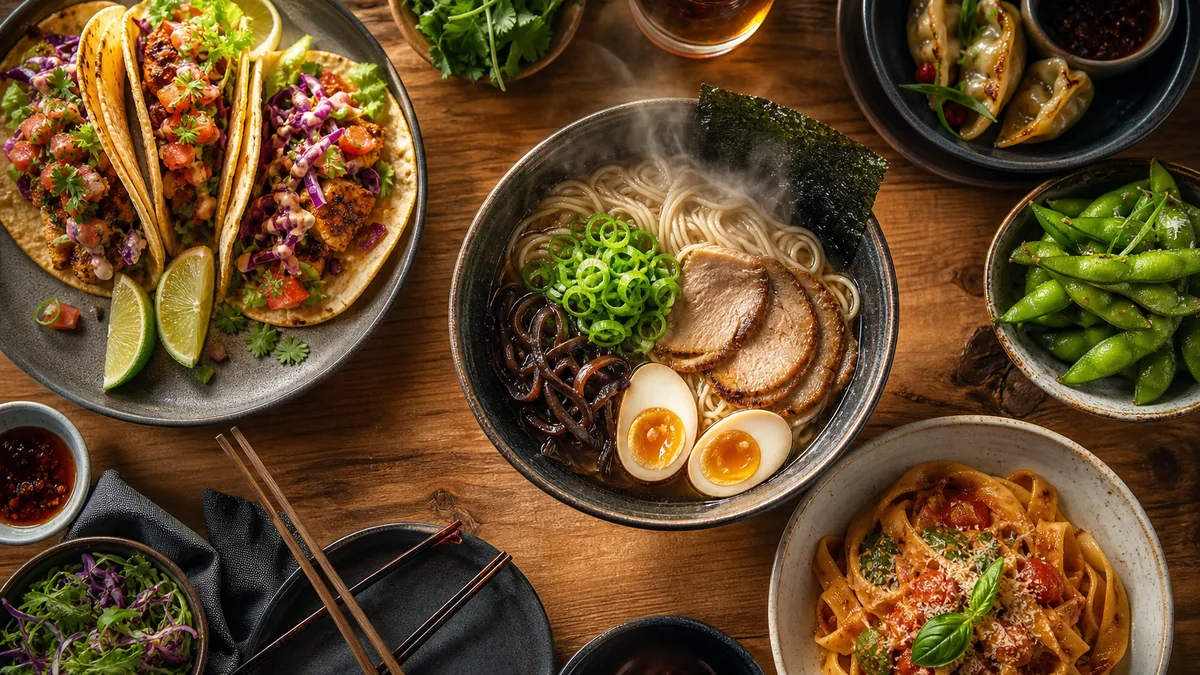
Food trucks rarely lose because the food is bad. They lose because the food truck food photography does not sell it. A customer at a night market or scrolling a delivery app decides in seconds, comparing your tray photo against five others. This guide is the practical, no-studio system: a portable kit, a fast plating routine, crop-safe framing, and a weekly cadence that keeps Google, delivery apps, and Instagram looking alive without slowing service.
The constraints are real. Trucks have tiny prep space, lighting that changes from daylight to neon to street lamp, constant motion, and grease, steam, and fingerprints on everything. The fix is not a bigger camera. It is a repeatable process you can run from one corner of a counter.
The 2026 reality: trucks sell the decision, not just the dish
Street food is often a first-time purchase. Your photo has to answer questions instantly, not just look tasty:
- What is it? The dish should be obvious at thumbnail size.
- How big is it? Show the portion honestly so people feel the value.
- Is it messy or handheld? Set expectations so nobody is surprised at pickup.
- Why this truck? Char, gloss, fresh garnish, and steam communicate quality.
The job of a food truck photo is to remove hesitation, fast. Everything below serves that goal.
Build a portable photo corner
You do not need a studio. You need one repeatable setup you can deploy in under two minutes.
| Item | Why it matters | Budget option |
|---|---|---|
| Background board | Consistent, non-distracting backdrop | A matte cutting board, dark slate, or kraft paper |
| One light source | Kills color casts from neon and lamps | Small LED panel or a diffused phone flashlight |
| Mini tripod | Sharp shots without shaky hands | Clamp or tabletop tripod |
| Clean cloth | Wipes grease, steam, and fingerprints | Microfiber towel |
Set the board on a clear stretch of counter, position the light slightly to the side and above the dish, and you have a portable kit that fits in one bin.
Side light beats front light
Light coming from the front flattens food and hides texture. Light from the side or slightly behind creates the shadows that make a taco look loaded and a sauce look glossy. If you are outdoors in daylight, turn so the sun is to your side, not behind you.
Shoot your five heroes first
Do not try to photograph the whole menu. Shoot five hero items: your top sellers and your highest-margin dishes. Those are the photos that earn money on Google, delivery, and social.
- Plate a fresh, full portion the way a paying customer would receive it.
- Wipe the tray edge and the board.
- Add the final garnish last so it looks crisp.
- Shoot 3-5 frames at a 30-45 degree angle, plus one straight-down (flat lay) for delivery thumbnails.
- Pick the best frame and move on.
Five strong heroes beat fifty mediocre snapshots every time.
Compose for the thumbnail
On Google Maps and delivery apps, your photo is tiny. Fill the frame with the dish and leave a little breathing room so platform crops do not chop off the garnish.
- Get close. The food should occupy most of the frame.
- Keep the most appetizing element (melted cheese, char, sauce) near the center.
- Avoid busy backgrounds, hands, and your truck’s clutter.
- Leave a safe margin around the edges so square and vertical crops still work.
If you want the exact crop logic for the apps you sell on, our delivery app photo optimization guide breaks down thumbnail-first framing.
Fix the night-market lighting problem in editing
This is where trucks usually fall apart. A taco shot under string lights looks orange; the same taco at lunch looks blue. Customers see an inconsistent, unprofessional feed.
The fix is a fast enhancement step that neutralizes color, balances exposure, and cleans up the background without changing the food. That is exactly what FoodPhoto.ai does: you upload a real phone photo of your real dish, and it fixes lighting, color, gloss, and crop so a night shot and a noon shot look like they came from the same brand. It is honest enhancement, not fabricated, AI-invented food.
Try it on one of your trickiest night photos in the Menu Test Pack and see the before and after.
Export once, use everywhere
Re-cropping the same photo for every platform is the silent time sink. Decide your destinations up front and export each hero in the sizes you actually use:
- Square for Instagram and many menu cards.
- Vertical for Reels, Stories, and TikTok covers.
- Platform-spec sizes for DoorDash, Uber Eats, and Grubhub.
- Wide for your website and Google Business Profile cover.
Export all of them in one pass so a single shoot feeds every channel. For the platform-specific dimensions, see our DoorDash + Uber Eats photo requirements breakdown.
Run a weekly photo sprint
The trucks that look great online are not shooting more. They are shooting on a schedule. A 30-60 minute weekly sprint keeps everything fresh:
- Reshoot one or two hero items that look dated.
- Capture this week’s special.
- Enhance and export.
- Upload to Google Business Profile so the listing looks active and recent.
- Queue a couple of posts for Instagram and Stories.
Google rewards listings that get fresh, geotagged photos, and customers trust a feed that clearly reflects what you are serving now.
Keep it honest
Street food’s whole appeal is that it is real and a little messy. Enhance, do not fake. Make the char pop and the sauce glisten, but show the actual portion and the actual dish. Photos that oversell lead to disappointed pickups and bad reviews, the two things a truck cannot afford.
The fastest path is a tight kit, five heroes, thumbnail-first framing, and a quick enhancement pass to unify your look across daylight and neon. When you are ready to standardize the editing step, check our simple, credit-based pricing and turn your night-market phone shots into menu-ready images in minutes.
FAQ
How do you take good food truck photos in a tiny space?
Build a small, repeatable photo corner: one neutral background board, one off-camera light or a bright window, a small tripod, and a clean cloth. Plate a fresh hero portion, shoot at a 30-45 degree angle, and capture top sellers first. You only need 60 cm of clear counter, not a studio.
What lighting works best for street food at night?
Neon, string lights, and street lamps create color casts and harsh shadows. Add one consistent light source (a small LED panel or even a phone flashlight diffused through a napkin) close to the dish, and let your editing step neutralize color so day and night shots match.
Do food trucks need delivery-app photos too?
If you are listed on DoorDash, Uber Eats, or Grubhub, yes. Thumbnail-first photos that fill the frame win the scroll. Export each hero dish in the sizes your platforms need so you are not re-cropping every week.
How often should a food truck refresh its photos?
Run a short weekly sprint. Reshoot one or two hero items, add any new special, and refresh your Google Business Profile so the listing looks active. Consistency beats one big shoot that goes stale in a month.